OpenID Connect authentication
Availability
Native OIDC authentication is introduced by Bazarr PR #3739. Use a release that includes this change. Earlier releases do not have the OIDC settings described here.
OIDC lets a configured identity provider handle browser login. Every allowed identity has full access to the Bazarr instance. OIDC does not add multiple user roles. Existing API keys continue to work for integrations.
Provider setup
Create an OpenID Connect client with Authorization Code flow and PKCE using S256. Register the exact callback URL:
https://bazarr.example.com/auth/oidc/callback
Include Bazarr's base URL if one is configured. For example, an instance at https://example.com/bazarr needs https://example.com/bazarr/auth/oidc/callback.
The issuer, discovery endpoints, and callback must use HTTPS. HTTP callbacks are not supported. TLS can terminate at a reverse proxy. Keep certificate verification enabled and use the normal Requests CA bundle configuration if your provider uses a private certificate authority.
The provider must issue signed ID tokens using RS256, RS384, RS512, ES256, ES384, or ES512. Symmetric and unsigned ID tokens are rejected. The client requests the openid, profile, and email scopes. Access is checked against the subject identifier, not the username or email address.
Bazarr setup
In Settings → General → Security, select OpenID Connect (OIDC) and enter:
- Issuer URL: the exact
issuervalue in your provider's discovery document. - Client ID: the client identifier registered with your provider.
- Redirect URI: the exact HTTPS callback registered above.
- Allowed subjects: the exact
subvalues of the accounts that may administer this instance. At least one subject is required. - Client secret file: optional. Leave it blank for a public PKCE client. For a confidential client, mount its secret as a file readable by Bazarr and enter the path. Alternatively, supply
BAZARR_OIDC_CLIENT_SECRETin the process environment. The file takes precedence over the environment variable. The secret is not saved inconfig.yamlor returned by the settings API.
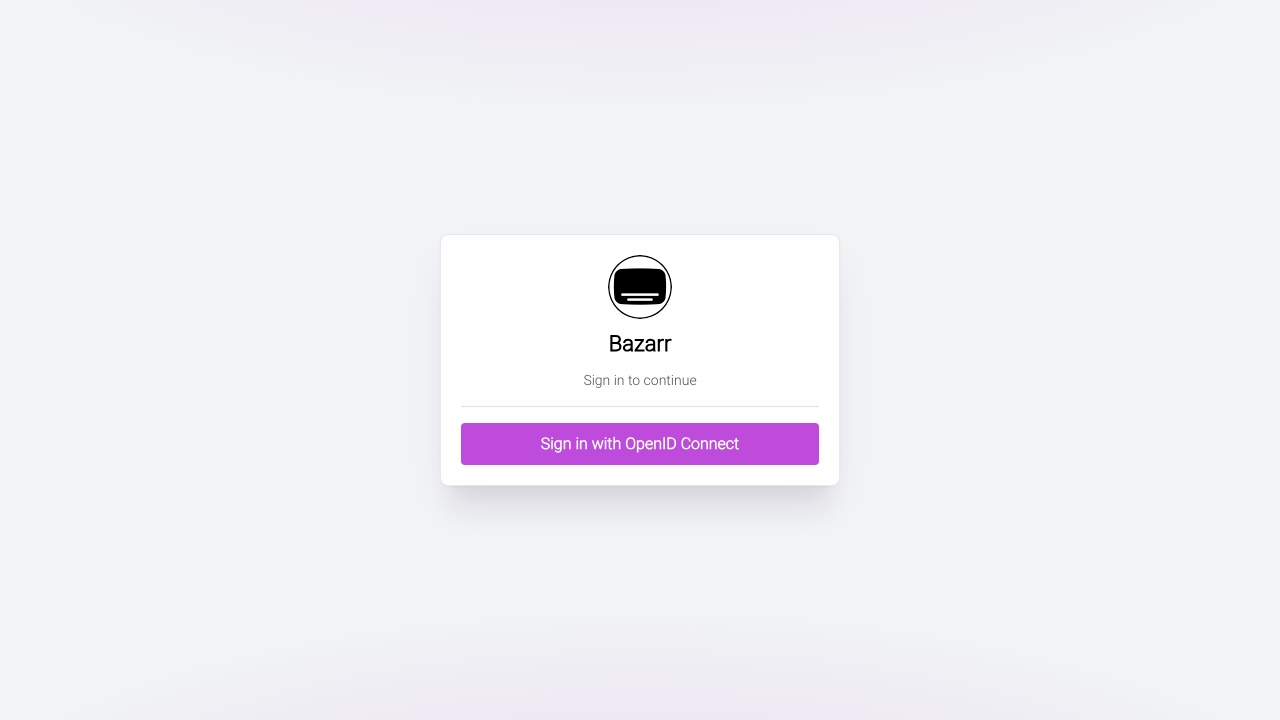
Save the settings and select Sign in with OpenID Connect. Local password login is disabled while OIDC is selected. OIDC login failures do not fall back to a local password.
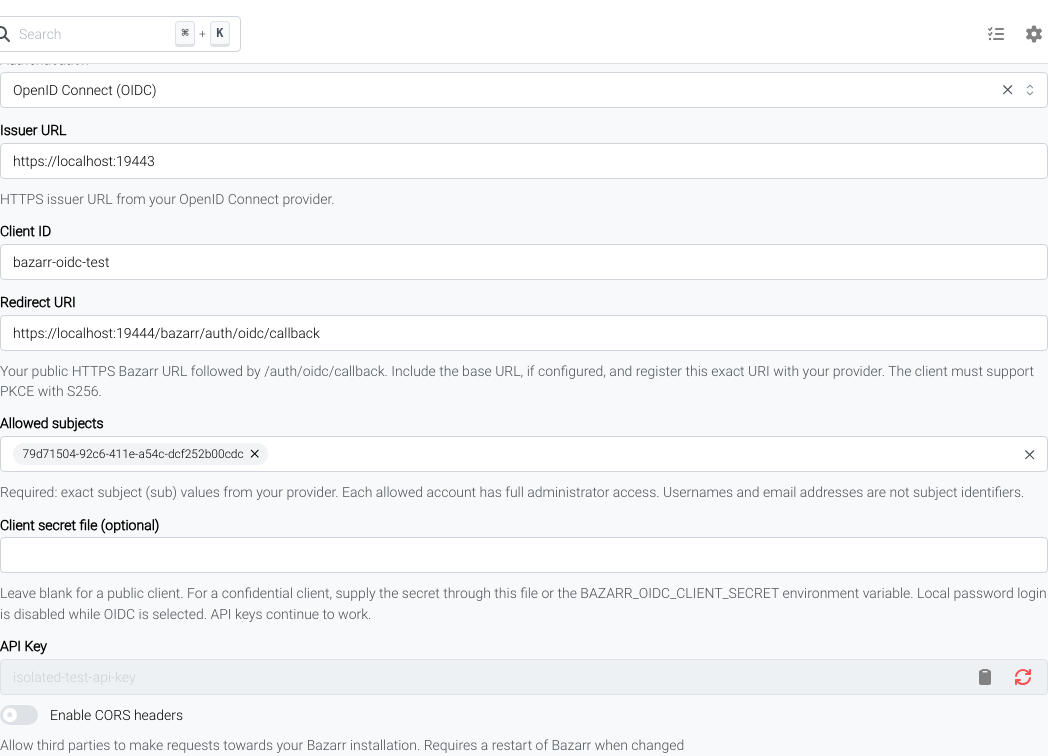
The equivalent configuration is:
auth:
    type: oidc
    oidc_issuer: https://identity.example.com
    oidc_client_id: bazarr
    oidc_redirect_uri: https://bazarr.example.com/auth/oidc/callback
    oidc_allowed_subjects:
        - provider-subject-identifier
    oidc_client_secret_file: ''
Pocket ID
Create an OIDC client in Pocket ID. Set the callback to the exact Bazarr redirect URI and require PKCE. A public client does not need a client secret. If you use a confidential client, provide its secret through a secret file or BAZARR_OIDC_CLIENT_SECRET.
Restrict the client to the intended users or groups in Pocket ID. Also copy each allowed account's immutable subject identifier into Bazarr's Allowed subjects field. Use the subject from Pocket ID's user record or a verified ID token; do not substitute a username or email address. The Bazarr issuer must match Pocket ID's discovery document.
Sessions and logout
OIDC uses Bazarr's existing server-side session registry. Provider tokens and PKCE verifiers are not placed in the browser cookie. Logout revokes the Bazarr session, including saved copies of its cookie. It does not log the user out of their identity provider or other applications. A later sign-in can therefore reuse the provider's session.
OIDC sessions follow Bazarr's normal browser-session lifetime and are cleared when Bazarr restarts. Changing OIDC configuration revokes browser sessions. Changes to provider-side permissions take effect on the next provider authentication; they do not send a revocation event to an existing Bazarr session.
Recovery
If the provider or OIDC configuration prevents login, stop Bazarr, edit auth.type in config/config.yaml to restore the previously configured form or basic method, and restart Bazarr. The existing local credentials are retained. Keep network access restricted while you recover. A valid API key also permits an administrator to correct the settings through the existing settings API.